Overview
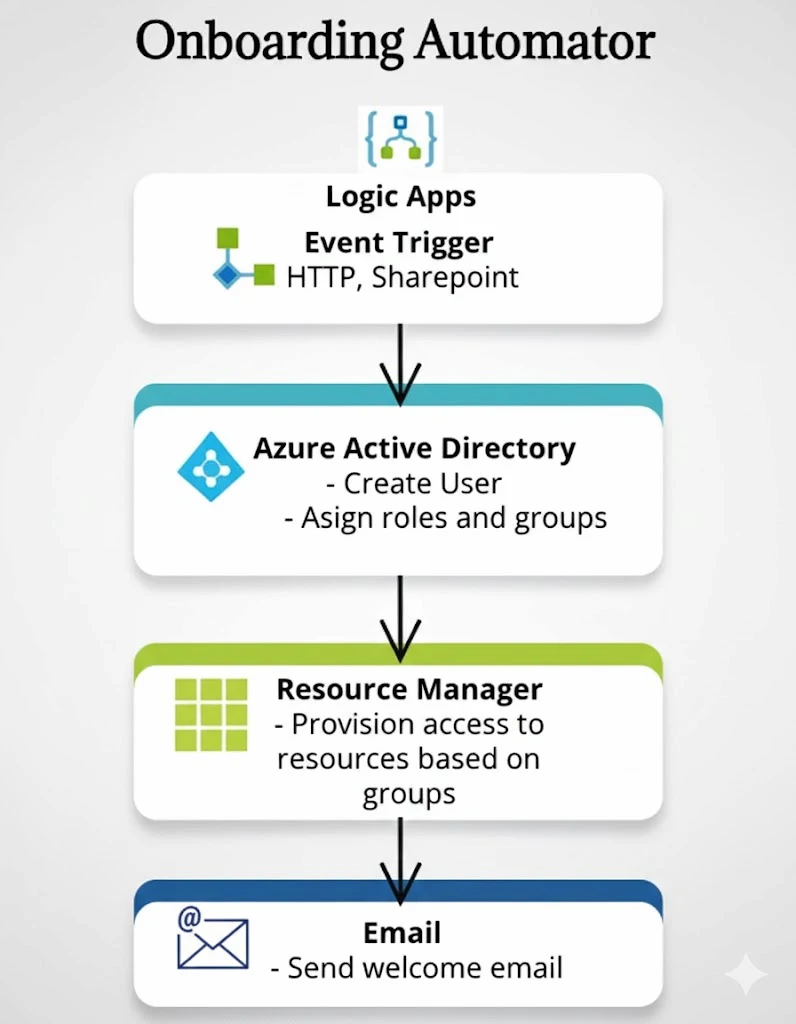
Onboarding automation overview
Represents the end-to-end employee onboarding automation scenario.
Azure Onboarding Automator is a hands-on Azure identity automation project that uses Logic Apps, Microsoft Entra ID, security groups, RBAC thinking, email notifications, and monitoring evidence to standardize the new-starter process. It turns a manual HR/IT handoff into a repeatable workflow that creates users, assigns access, notifies stakeholders, and supports audit review through Logic App run history and Entra logs.
HR / Manager request
→ SharePoint list or email trigger
→ Azure Logic App workflow
→ Create user in Microsoft Entra ID
→ Assign security group / access template
→ Send welcome + IT notification emails
→ Review Logic App run history + Entra logs
New employee onboarding is often repetitive, inconsistent, and dependent on manual IT checks. This project demonstrates how Azure-native automation can convert a request from HR or a manager into a controlled identity workflow that creates the user, assigns the right access group, sends onboarding communication, and leaves an operational audit trail.
Without automation, IT teams often create accounts manually, copy access from existing users, forget group assignments, or rely on informal handoffs. That increases onboarding time and creates avoidable least-privilege and audit issues.
Azure Logic Apps orchestrates the process from request intake to user creation, group assignment, welcome email, and operational review. The design mirrors a real-world Azure Administrator workflow and aligns strongly with AZ-104 identity, governance, and monitoring skills.
This project connects identity automation to measurable business value: faster onboarding, fewer manual access errors, stronger least-privilege controls, and clearer audit evidence for HR and IT operations.
The workflow is designed around a simple enterprise pattern: HR or a manager submits a request, Logic Apps handles the orchestration, Entra ID becomes the identity source of truth, and the automation produces notifications and logs for review.
The project uses Microsoft Entra ID as the central identity system. Logic Apps connects the request data to account creation and group assignment so access is applied consistently instead of manually copied from another user.
These screenshots show the main project evidence: identity setup, Logic App workflow actions, group assignment logic, and the automated welcome email experience.
Represents the end-to-end employee onboarding automation scenario.
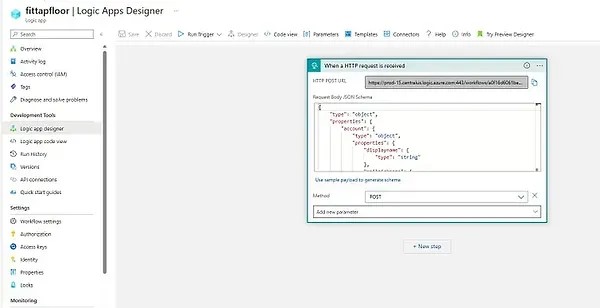
Shows the tenant and directory layer used for user creation and access management.
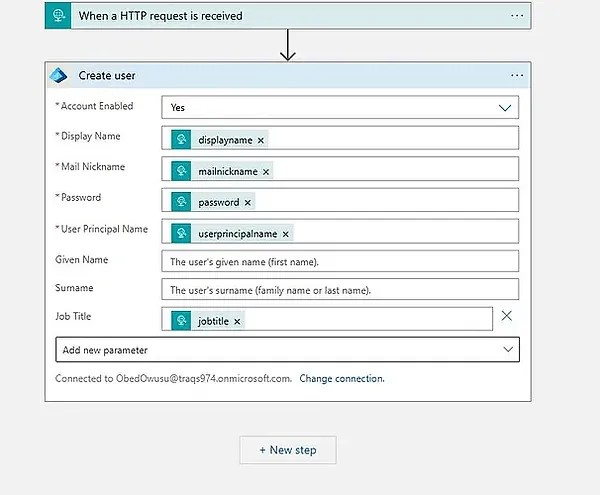
Shows the automation step used to apply access based on the onboarding request.
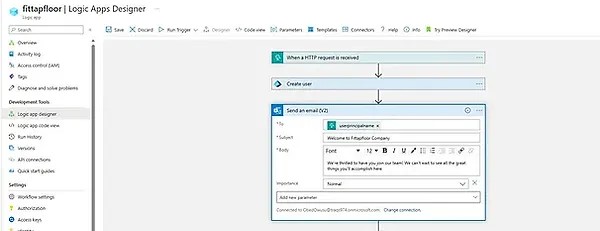
Evidence of the workflow creating or configuring the new starter account.
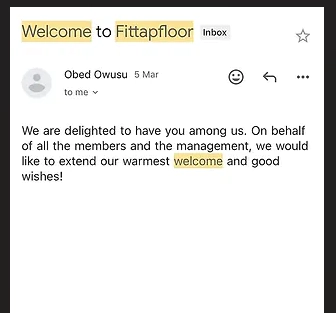
Shows the communication step that notifies the new user or stakeholders.
The project focuses on practical Azure Administrator skills: identity management, workflow automation, access assignment, monitoring, and Microsoft 365 integration.
An Azure identity automation project that provisions new users, assigns group-based access, sends onboarding emails, and provides workflow evidence through Logic App run history and Entra ID logs.
This project strengthened practical Azure Administrator skills by connecting identity, automation, access control, notifications, and monitoring into one workflow.
The project showed how Logic Apps can turn repeated service desk tasks into a controlled workflow with clear input, actions, outputs, and run history.
Assigning access through groups makes onboarding more consistent and easier to audit than manually applying permissions to each user.
The value of automation is not only that it runs, but that it can be reviewed, troubleshot, and evidenced later.
The current version proves the core workflow. Future improvements could make it more enterprise-ready.